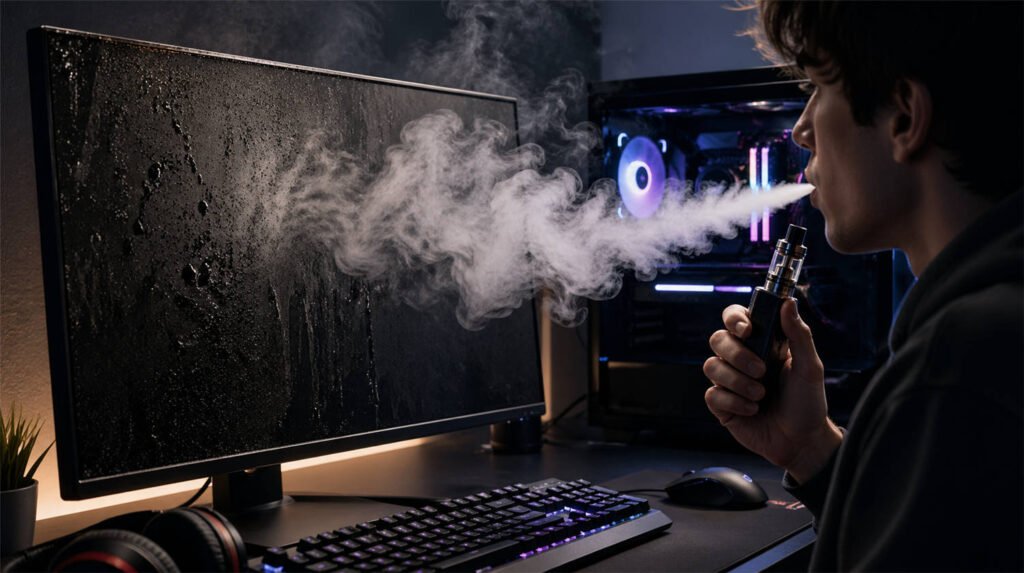
Picture this: You are in an intense ranked match, respawn timer ticking down, and you take a quick puff to relax. As you exhale, a thick cloud rolls over your expensive high-refresh-rate monitor and gets sucked right into your PC’s intake fans. Every PC gamer has wondered at some point: Is this vapor quietly destroying my expensive rig?
The short answer is no, a single cloud won’t cause an immediate electrical short circuit. However, the long-term reality is much more concerning. Over time, exhaled vapor leaves an invisible, sticky residue that acts as a silent hardware killer—causing severe overheating, blurry display panels, and ruined mechanical switches.
To protect your setup, you need to understand the science behind the vapor.
The Culprit: Vegetable Glycerin (VG) and the “Water Vapor” Myth
A common misconception is that e-cigarettes just produce harmless water vapor. This is false. A primary ingredient in most e-liquids—especially those designed for large clouds—is Vegetable Glycerin (VG).
VG is a viscous, syrupy substance. When you exhale, that massive cloud isn’t evaporating water; it is thousands of microscopic, suspended VG droplets floating through the air, looking for a place to land.
The Condensation Trap and the “Dust Magnet” Effect
As highlighted by major hardware manufacturers like [Corsair], when warm exhaled vapor collides with the cooler surfaces of your gaming environment—like your glass monitor panel, metal chassis, or cooling fins—it triggers rapid condensation. The vapor transforms back into a liquid state, leaving behind a microscopic, sticky film.
While this VG film isn’t conductive on its own (meaning it won’t instantly fry your GPU), it creates a massive secondary problem: it becomes a relentless dust magnet.
A typical gaming room is full of microscopic dust, dead skin cells, and pet hair. Normally, dry dust can be blown out of a PC with compressed air. But when dust meets that sticky VG film, they combine to form a stubborn, glue-like grime that cannot be wiped away.
The True Cost: Long-Term Hardware Damage
If left unchecked, this “vape sludge” leads to catastrophic hardware degradation over continuous gaming sessions:
- Greasy, Blurry Monitors: The accumulated grime alters how light refracts through your display. High-quality 4K or OLED panels will start to appear permanently greasy and blurry. Worse, wiping it with a dry cloth often just smears the oil, creating frustrating rainbow-colored streaks.
- Thermal Throttling & Dropped FPS: Your PC’s cooling system is the hardest hit. Vapor gets sucked through ventilation holes, coating your motherboard and caking onto cooling fan bearings. As this thick grime builds up, fans slow down, airflow chokes, and your system suffers from severe thermal throttling—the ultimate cause of massive FPS drops during gameplay.
- The Short-Circuit Risk: While pure VG isn’t conductive, the heavy layer of accumulated dust can absorb environmental moisture from the air. Over time, this damp, oily dust blanket can bridge connections on your motherboard, eventually leading to fatal electrical shorts.
The “Danger Zones”: How Vape Residue Destroys Your Expensive Setup
Now that we understand how that sticky VG film forms, let’s look at the actual hardware on your desk. When you exhale near your battlestation, the vapor doesn’t just disappear. It aggressively targets three specific, high-cost components.
- Gaming Monitors: Ruined Clarity and Screen Damage
- The Symptom: A foggy, oily film slowly builds up across your screen. When you try to wipe it away with a dry microfiber cloth or tissue, the problem instantly worsens. The dry tissue merely smears the vegetable glycerin, creating frustrating, greasy rainbow streaks across the display.
- The Consequence: This VG film degrades the visual punch and color accuracy of high-end HDR and OLED monitors. Worse yet, if left uncleaned, heavy vape condensation can slowly seep down into the bottom bezel gaps. Once this liquid reaches the fragile ribbon cables inside the monitor panel, it can cause permanent dead pixels or complete display failure.
- PC Cooling Systems: Thermal Throttling and FPS Drops
- The Symptom: Your PC’s front intake fans act like vacuum cleaners for exhaled vapor. As the vapor is pulled into the chassis, a sticky sludge quickly coats your internal cooling components. This dense sludge—a nightmare mixture of viscous VG and everyday household dust—cakes heavily onto fan blades and radiator fins.
- The Consequence: The added weight of this oily dirt slows down fan rotation speeds and wears out mechanical bearings, making your PC louder. More importantly, blocked radiator fins lose their ability to dissipate heat. As temperatures spike, your GPU and CPU are forced into thermal throttling (automatically reducing operating speeds to survive). If you are experiencing sudden, unexplained frame rate drops or stuttering during competitive play, your vape condensation might be the actual culprit.
- Mechanical Keyboards: Sticky Switches and Missed Inputs
- The Symptom: Your expensive mechanical keyboard typically sits directly underneath your exhale trajectory. As the heavy vapor falls, it silently coats the keycaps before seeping down into the sensitive mechanical switches underneath.
- The Consequence: The viscous nature of VG ruins the crisp, tactile feedback of custom switches. It causes keys to feel “mushy” or sticky, failing to rebound quickly after being pressed. Eventually, the liquid alters the internal metal contacts, triggering dreaded double-clicking errors or complete key failure. In competitive gaming, a malfunctioning keyboard isn’t just an annoyance—it’s a guaranteed loss.

The Ultimate Solution: Why Disposable Vapes Are a PC Gamer’s Best Friend
You don’t need to quit vaping to protect your expensive battlestation. The secret lies in the type of device you use. If you want to maintain your focus, relax between intense matches, and keep your hardware pristine, disposable vapes are the ultimate desk-friendly solution.
The PC Killer: Why Sub-Ohm Mods Belong Away from Your Desk
Traditional sub-ohm mods are designed for one thing: massive cloud production. They typically utilize high-VG e-liquids (70% VG or higher), which, as we now know, is the primary cause of thick, sticky condensation.
Beyond the vapor damage, sub-ohm mods introduce a physical hazard to your desk: e-liquid spills. Trying to refill a glass tank or drip juice onto cotton in a dimly lit gaming room is a disaster waiting to happen. One clumsy move or accidental knock, and you’ve instantly ruined a $150 custom mechanical keyboard or permanently stained an artisan mouse pad.
The “Desk-Safe” Advantage: Why Disposables Win
Disposable vapes bypass the critical flaws of sub-ohm setups. Their internal engineering makes them the safest and most practical choice for any PC gaming environment:
- Stealthy Vapor & Quick Dissipation: Disposable vapes operate on low-wattage outputs and utilize a much more balanced PG/VG ratio (often 50/50). This produces a lighter, moderate vapor that dissipates into the air—long before it ever reaches your monitor or PC intake fans. Lighter vapor means virtually zero sticky condensation buildup.
- 100% Leak-Proof, Enclosed Design: Disposables feature a sealed internal tank structure. There are no messy e-liquid bottles to knock over when you make a rapid mouse flick. This leak-proof design guarantees your desk stays clean and your expensive peripherals remain safe from liquid spills.
- Zero-Downtime Convenience: Fast-paced competitive gaming leaves no room for device maintenance. You don’t have time to change burnt coils, re-wick cotton, or wipe down a leaking tank. A disposable vape requires zero physical preparation. Whether you are staring down a 10-second respawn timer or waiting in a long matchmaking queue, it offers an immediate, hassle-free hit—allowing you to keep your hands on the keyboard and your head in the game.
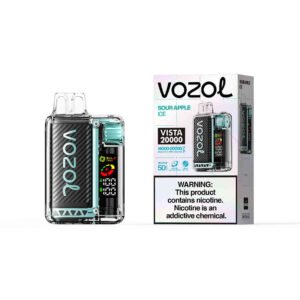
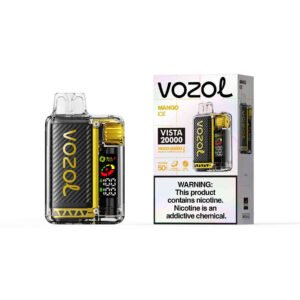
Below are recommendations for disposable Vapes for PC gamers.



The PC Gamer’s Guide to Desk-Safe Vaping
Even with the right device, vaping near electronic equipment requires a bit of mindfulness. You don’t need to pause your game to step outside, but adopting a few smart habits will ensure your battlestation stays in pristine condition. Here is your practical guide to safe desktop vaping.
- Master Your Exhaust: Redirect the Cloud
Never exhale vapor directly toward your monitor or your PC’s front intake fans. It sounds simple, but in the heat of a match, it’s easy to forget. Make it a habit to exhale downward toward the floor or turn your head away from your electronics. This gives the vapor ample time and space to dissipate in the open air, preventing it from ever reaching cold metal cases or glass panels.
- Create an “Air Shield” with a USB Fan
Desktop air circulation is your best defense against condensation. Place a small, quiet USB fan on your desk and angle it to blow air away from your PC tower and monitors. This gentle airflow acts as an invisible shield, dispersing exhaled vapor and preventing any aerosol particles from settling on your gear.
- The Right Way to Clean “Vape Gunk”
Regular maintenance is mandatory for PC gamers, but cleaning VG residue requires specific techniques to avoid permanent hardware damage:
- Monitors: Never use household glass cleaners (like Windex). The harsh abrasives and ammonia will strip the delicate anti-glare coating right off your gaming monitor. Instead, lightly spray 70% isopropyl alcohol onto a clean microfiber cloth (never spray the screen directly) and wipe gently in one direction to cut through the greasy film.
- Internal Components: Open your PC case every 3 to 6 months. Use a can of compressed air to blow out the oily dust from your intake fans and liquid-cooling radiators. If your fan blades have stubborn, caked-on sludge, carefully wipe them down using a cotton swab (Q-tip) dipped in a tiny amount of isopropyl alcohol.
Protect Your Rank, Protect Your Rig
Vaping helps millions of gamers and remote workers stay relaxed and focused during long sessions. You don’t need to abandon this habit to protect your expensive hardware—you simply need to upgrade your gear.
High-wattage sub-ohm devices that blow massive clouds and leak e-liquid have no place on a premium gaming desk. They degrade high-refresh-rate monitors, choke expensive GPUs, and ruin custom keyboards. Your desktop setup demands a cleaner, smarter solution.
It’s time to transition away from screen-smudging cloud chasers. By switching to a low-vapor, leak-proof disposable vape, you get the immediate satisfaction and focus you need without the messy refills or hardware anxiety. Keep your desk clean, keep your PC cool, and keep your head in the game.
FAQ: E-Cigarette Vapor and Monitor Damage Explained

Allen Brooks | TOVANVAPE
Entrepreneur | 10+ Years Vape Industry Expert
As the founder of TOVANVAPE, I have focused on developing and testing premium vapes since 2015.
- Our Mission: To provide high-quality vapes at affordable prices.
- Expertise: Over 10 Years of Industry Experience
- Credibility: 2019 Entrepreneur of the Year
- Professionalism: Member of Harm Reduction Organizations
- Our Promise: Independent Testing & 100% Data Transparency